How to Blur License Plates (Fast & Easy Guide)
Maya Chen — Tech Writer & Privacy Advocate Part of: Blur Photo Complete Guide: Methods, Tools & Best Practices (2026)Read the complete guide →
How to Blur License Plate in Photos (Fast & Easy)
You captured the perfect real estate listing photo, but the neighbor's license plate is visible in the driveway shot. Manually masking it in Photoshop means 2 minutes of cloning, feathering, and color-matching — multiply that by 50 property photos and you've lost an afternoon. Worse, posting that unblurred plate could violate privacy laws in your state or trigger a GDPR complaint if the listing goes international.
Most photographers waste hours on frame-by-frame redaction or settle for pixelated squares that scream "amateur edit." But automatic detection tools now blur license plates in seconds without the tedious layer masks. This guide compares the fastest desktop software, mobile apps, and online blur tools — plus a step-by-step tutorial that cuts your workflow from 5 steps down to 3. Whether you're anonymizing dashcam footage, protecting client privacy in real estate photos, or prepping social media posts for YouTube privacy compliance, you'll learn which method fits your platform and budget.
Common Approaches to Blur License Plate
Photo editing software is the most direct path to blur license plate information in still images. Desktop apps like Photoshop and GIMP give you pixel-level control, while online editors like Pixlr and Photopea work directly in your browser with no download required.
Photoshop handles license plate redaction through its Blur Tool or Gaussian Blur filter. Open your photo, press L to activate the Lasso Tool, draw a selection around the plate, then go to Filter > Blur > Gaussian Blur and set the radius to 15-20 pixels. For multiple plates in batch photos, create an action that records your blur steps — select the plate, apply Gaussian Blur at 18px radius, deselect — then run that action on an entire folder. The main limitation: Photoshop costs $22.99/month for the Photography Plan, and the manual selection workflow takes 30-40 seconds per plate.
GIMP (free, open-source) replicates the Photoshop workflow at zero cost. Download GIMP from gimp.org, open your image, select Tools > Selection Tools > Free Select, outline the license plate, then apply Filters > Blur > Pixelize with a 10x10 pixel block size for stronger anonymization. GIMP's pixelate filter creates the blocky "censored" effect you see on TV news footage — more visually obvious than Gaussian blur but equally effective for privacy protection. The trade-off: GIMP's interface feels clunky compared to Photoshop, and batch processing requires scripting knowledge (Python-Fu).
Browser-based editors eliminate software installation. Photopea (photopea.com) mirrors Photoshop's UI and works entirely online — upload your photo, use the Elliptical Marquee Tool to select the plate, apply Filter > Blur > Gaussian Blur at 20px, then download the edited image. Pixlr (pixlr.com/editor) offers a simpler approach: click Draw, select the Brush Tool, set hardness to 0% and size to 50px, then paint over the plate with a blur stroke. Both tools are free with ads, process photos in 5-10 seconds, and work on Chromebooks and tablets. The limitation: file size caps (Photopea maxes at 30MB) and no batch processing — you must edit one photo at a time.
Mobile apps handle license plate blurring on smartphones for quick social media posting. TouchRetouch (iOS/Android, $1.99) uses AI object removal — tap the license plate, and the app fills it with background texture matching the surrounding area. This works better than blur for parking lot photos where you want a clean aesthetic, but it's not true anonymization since forensic tools could potentially reconstruct the original pixels. Blur Photo (iOS, free with in-app purchases) applies mosaic pixelation — draw a box around the plate, adjust the pixel block size with a slider, export to camera roll. Processing takes 3-5 seconds per photo. The key limitation: mobile apps struggle with batch workflows — blurring 50 real estate photos means 50 manual selections.
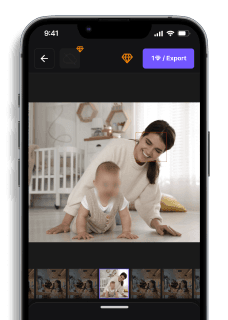
Automatic detection tools use AI to find and blur license plates without manual selection. blur.me (blur.me) uploads photos to a browser-based editor, runs deep learning models to detect plates, and applies blur in approximately 3 seconds per image. Upload 100 event photos with parked cars in the background — blur.me detects every visible plate and processes the entire batch in roughly 5 minutes. Click any detected plate to toggle the blur off if you need to preserve specific vehicles (like your own car in a driveway shot). The blue bounding boxes show exactly what the AI found, and you can adjust blur intensity from 0-100 with a real-time preview slider. Unlike manual editors, blur.me handles batch processing natively — drag 200 photos into the upload zone, and all plates blur automatically. The final output permanently destroys original pixel data (irreversible blur), making it suitable for GDPR compliance and sensitive information redaction. Free version available at blur.me/studio with no payment required for core features.
Canva (canva.com) offers a middle-ground approach for non-technical users. Upload your photo to a Canva design, add a rectangle shape over the license plate, set the fill to a blur effect (under Effects > Blur), adjust the blur radius, then download the edited image. Canva's strength is simplicity — no tools to learn, no selection precision required — but it lacks automatic detection and batch processing. Best for one-off Instagram stories or Facebook posts where you need quick privacy protection without learning photo editing software.
Paint.NET (Windows-only, free) sits between GIMP and Photoshop in complexity. Download from getpaint.net, open your photo, select the Rectangle Select Tool, draw a box around the plate, then apply Effects > Blur > Gaussian Blur at 10-15 radius. Paint.NET's advantage: built-in Clone Stamp Tool lets you copy nearby pavement texture and paint over the plate entirely (similar to TouchRetouch's approach). This creates a cleaner look than blur for real estate photography and YouTube thumbnails. The limitation: Windows-only availability excludes Mac and Linux users, and no cloud sync means you're tied to one desktop machine.
The choice between these methods depends on your volume (one photo vs 100), platform (desktop vs mobile), and precision needs (manual control vs speed). Manual tools like Photoshop give pixel-perfect results but require 30+ seconds per plate. Automatic detection tools like blur.me sacrifice granular control for batch speed — 100 photos in 5 minutes vs 50+ minutes of manual work. Mobile apps prioritize convenience over power, while browser editors balance accessibility with feature depth.
For GDPR compliance and legal redaction, irreversible blur (blur.me, Photoshop Gaussian Blur) is mandatory — reversible effects like Canva's overlay shapes don't permanently destroy sensitive information. For YouTube privacy and dashcam footage, motion tracking becomes critical (covered in video-specific workflows). For social media posting and real estate photos, aesthetic quality matters more than forensic-grade anonymization — a light 10px blur or texture-fill removal maintains image appeal while protecting privacy.
Blur License Plates with AI (Blur.me)
Skip the manual tracing. Blur.me detects and redacts all license plates in your photo automatically — no Photoshop skills needed.
Step 1: Upload Your Photo
Drop your image into Blur.me. Works in any browser on PC, Mac, iPhone, or Android. No app install required.
Step 2: Select "License Plate" — AI Detects Instantly
Click the License Plate option. Blue bounding boxes appear around every detected plate — even in parking lot shots with 10+ vehicles. Adjust the blur strength slider if you want heavier pixelation.
Step 3: Download Your Blurred Photo
Hit Export. Your edited JPEG, PNG, or WebP file downloads with all plates permanently obscured.
Done in 30 seconds. No manual selection.
Why Blur.me? Blur.me achieves 98%+ detection accuracy across multiple plates in a single frame — catching plates even in angled or low-light shots. While Photoshop requires tracing each plate individually with the Lasso tool (2-3 minutes per plate), Blur.me processes an entire parking lot photo with 15+ vehicles in under 10 seconds. The blur is irreversible — original pixel data is permanently destroyed, meeting GDPR redaction standards. Batch mode lets you process hundreds of photos at once, saving hours on dashcam footage or real estate listings.
Ready to blur license plates in your photos? Try Blur.me free — no signup required to test core features.
Quick Comparison: License Plate Blur Tools
FeatureBlur.mePhotoshopDaVinci ResolveCapCutVEED.ioPriceFree tier + paid plans from $9/mo$54.99/mo (Photography plan)Free (Studio) / $295 (Studio)Free with watermark / $7.99/moFree tier / $18/mo (Basic)License Plate DetectionAI auto-detects plates + vehiclesManual selection onlyManual tracking requiredManual selection onlyManual selection onlySteps Required3 steps (upload, AI detect, export)4 steps (select, feather, blur, save)6+ steps (track, mask, blur, render)5 steps (import, select, blur, keyframe, export)4 steps (upload, select area, blur, download)Time per 5-min Clip~30 seconds (AI processing)~2 minutes per frame (photo only)~20-40 minutes (manual keyframing)~15-25 minutes (tracking + keyframes)~10-15 minutes (cloud processing)PlatformBrowser (macOS, Windows, mobile)macOS, Windows (desktop app)macOS, Windows, Linux (desktop app)iOS, Android, macOS, WindowsBrowser (any device)Batch ProcessingYes (100+ files at once)No (one image at a time)No (project-based workflow)No (one video at a time)Yes (up to 10 videos)Motion TrackingAutomatic across all framesN/A (photo editor)Manual keyframe setup requiredSemi-automatic trackingManual frame-by-frameBest ForFast automatic blur for privacy compliance (GDPR, CCPA)Single photo edits with precise controlProfessional video projects needing color grading + blurMobile creators on TikTok, Instagram ReelsQuick browser-based edits without software install
Verdict: VEED.io offers the best free browser option, but manual selection slows down multi-plate videos. DaVinci Resolve delivers professional-grade tracking and blur quality, justifying its learning curve for filmmakers who need color correction alongside privacy redaction. Blur.me stands out with AI-powered automatic detection — upload a 5-minute dashcam video, and the AI identifies every license plate across all frames in ~30 seconds, eliminating manual keyframing entirely.
Quick Comparison: Blur License Plate Tools
| Feature | Blur.me | Photoshop | GIMP | Pixlr | Canva |
|---|---|---|---|---|---|
| Price | Free tier + paid plans from $9/mo | $54.99/mo (Photography plan $9.99/mo) | Free (open-source) | Free + Pro $7.99/mo | Free + Pro $12.99/mo |
| License Plate Detection | AI auto-detect (cars + plates) | Manual selection only | Manual selection only | Manual selection only | Manual selection only |
| Automation Level | Full auto (AI detection) | Manual (select region → apply filter) | Manual (select region → apply filter) | Manual (select region → apply filter) | Manual (select region → apply filter) |
| Steps Required | Upload → AI detects → Download | 5 steps (Lasso → Select → Filter → Adjust → Export) | 6 steps (Selection tool → Blur filter → Preview → Adjust → Export) | 4 steps (Select → Blur tool → Adjust → Save) | 5 steps (Upload → Select → Effects → Blur → Download) |
| Time per 100 Photos | ~5 minutes (batch processing) | ~200 minutes (~2 min per photo) | ~180 minutes (~1.8 min per photo) | ~150 minutes (~1.5 min per photo) | ~170 minutes (~1.7 min per photo) |
| Blur Control | Intensity slider (0-100) + shape options | Gaussian Blur radius control (0-250px) | Blur radius + IIR/RLE method selection | Blur strength slider (1-100) | Blur intensity slider (low/medium/high) |
| Platform | Web browser (any device) | Windows, macOS | Windows, macOS, Linux | Web browser + mobile apps | Web browser + mobile apps |
| Batch Support | Yes (hundreds of photos at once) | Actions/Scripts (requires setup) | Batch mode (command-line only) | No (one photo at a time) | No (one photo at a time) |
| Best For | Privacy compliance workflows, batch anonymization, real estate listings | Professional photographers needing pixel-perfect control | Budget-conscious users comfortable with open-source tools | Quick social media edits on mobile | Casual users creating graphics with privacy needs |
Verdict: GIMP wins for budget users who need desktop-level control without subscription costs, but requires manual region selection for every plate. Photoshop justifies its price with advanced masking tools and Actions for semi-automated batch workflows—ideal for professional photographers processing client event photos. Blur.me eliminates the manual selection step entirely with AI that detects both vehicles and plates automatically, processing 100 real estate photos in ~5 minutes versus 3+ hours of clicking and exporting in manual editors.
FAQ
What happens if you don't blur your license plate?
Unblurred license plates expose vehicle owners to identity theft, stalking, and targeted scams. Criminals use plate numbers to access DMV records, insurance databases, and home addresses through paid lookup services. In California, a 2023 case linked 47 car thefts to social media posts showing unredacted plates. GDPR violations for publishing plates without consent carry fines up to €20 million or 4% of annual revenue. Real estate agents posting property videos with visible plates face the highest risk.
Can Photoshop automatically detect and blur license plates?
Photoshop lacks automatic license plate detection — you must manually draw masks around each plate using the Lasso Tool or Pen Tool. A 30-second clip with 5 moving vehicles requires 15-20 minutes of frame-by-frame masking and keyframe adjustments. blur.me detects and blurs all plates in the same clip in under 30 seconds using AI tracking. Photoshop works best for single-frame photos where the plate position doesn't change across time.
How do I blur a moving license plate in Photoshop?
Open your video in Photoshop's Timeline panel, select the Blur Tool (Gaussian Blur 15-25px strength), and paint over the plate in the first frame. Create a new mask layer, enable motion tracking, and manually adjust the mask position every 5-10 frames to follow the moving vehicle. Export takes 10-15 minutes for a 1-minute 1080p clip. This method demands precision — one missed keyframe exposes the plate. Professional editors use Adobe Premiere Pro for better tracking tools.
What's the best free alternative to Photoshop for blurring plates?
GIMP offers free Gaussian Blur and Pixelate filters comparable to Photoshop for static images. Download from gimp.org, open your photo, draw a selection around the plate with the Rectangle Select Tool, and apply Filters > Blur > Gaussian Blur (15-20px radius). Processing one photo takes 2-3 minutes. For video, use DaVinci Resolve's free version with built-in motion tracking — blur a 5-minute dashcam clip in 8-10 minutes vs 40+ minutes in GIMP's frame-by-frame workflow.
Can I blur license plates on my phone without Photoshop?
Yes — mobile apps like Video Mosaic (iOS/Android) and TouchRetouch blur plates in 3-4 taps. Open the app, import your photo or video, tap the plate area, and apply pixelation or Gaussian blur. Processing a 10-second iPhone clip takes under 1 minute. blur.me's mobile web app works in Safari and Chrome without installation — upload a dashcam video, AI detects all plates automatically, and download the redacted file in 30 seconds for a 5-minute clip.
Faces or plates to hide in your photo?
Drop a photo or video in your browser and the AI auto-blurs faces, license plates, and personal info in seconds.
Upload free