Delete Your Account
更新于 2026年9月9日
Before deleting
Account deletion cannot be undone. The current confirmation says you will lose account access, the subscription will be canceled automatically, remaining credits will expire permanently, and cloud-stored media and work files will be permanently deleted.
1. Keep required results
Download originals and results you want to keep and confirm they open on your device. Review any payment records you need. If you only want to stop subscription renewal, use subscription cancellation rather than account deletion.
2. Open account deletion
While signed in, go to your profile menu → Account settings → Profile. Choose Delete this account near the bottom to open the confirmation dialog.
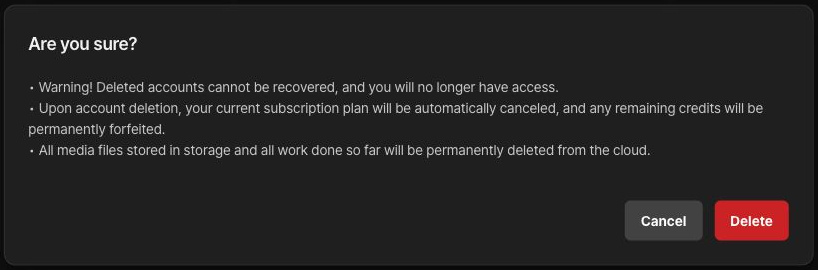
3. Review the scope and decide
Read the loss of account recovery, automatic subscription cancellation, credit expiry, and deletion of stored media and work files. Choose Cancel if you are not ready. If you have checked everything and want to remove the account, choose Delete.
4. Check completion
After processing, check that you are signed out and taken to the sign-in screen. If an error appears or the account remains available, do not assume deletion succeeded; contact support. If you cannot sign in, ask support how to verify ownership for a deletion request.
Check separate copies and records
Files downloaded to devices or sent to other people are not automatically removed. Separate retention items described in the privacy policy, such as payment or dispute records, differ from account work files.