XLSX to CSV
Export the first visible worksheet or a CSV for every visible sheet.
Visible sheets and stored cell values only. Formulas are not calculated. Charts and workbook formatting are not shown.
- Free
- No sign-up
- No file upload
Example result
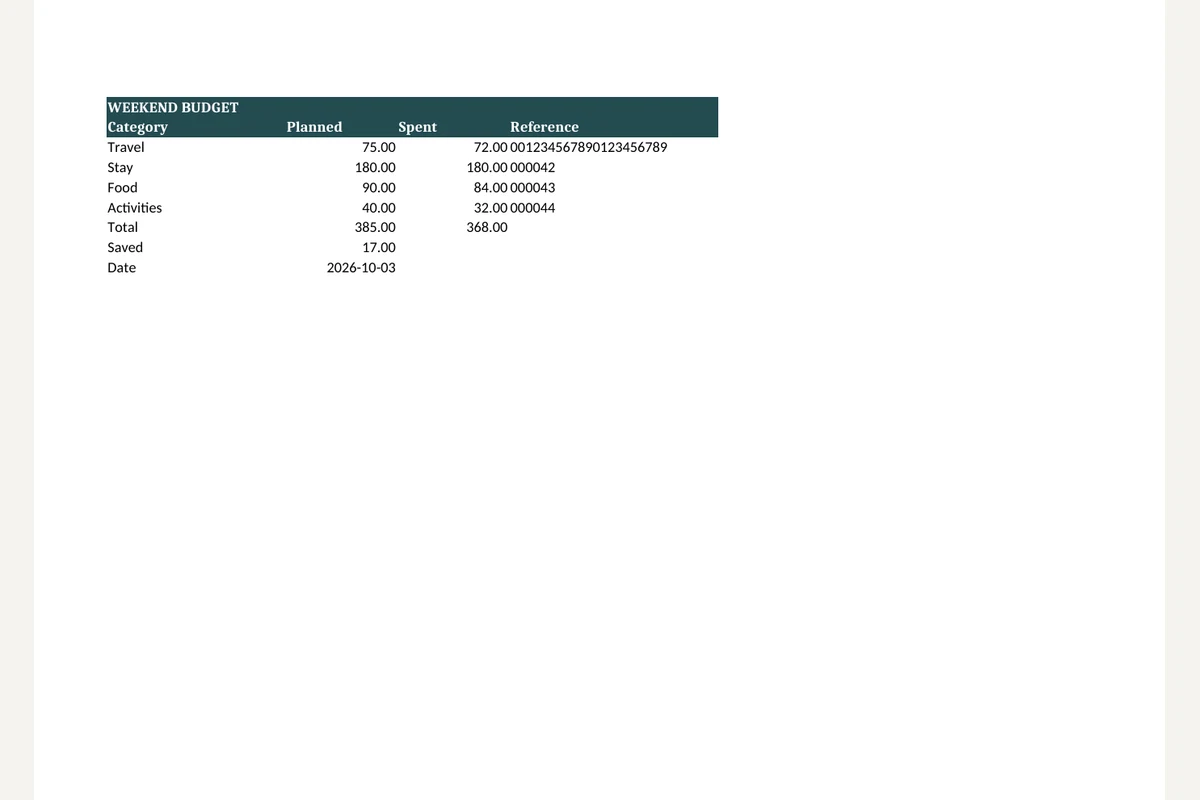 XLSX
"WEEKEND BUDGET",,,
"Category","Planned","Spent","Reference"
"Travel","75.00","72.00","001234567890123456789"
"Stay","180.00","180.00","000042"
"Food","90.00","84.00","000043"
"Activities","40.00","32.00","000044"
"Total","385.00","368.00",
"Saved","17.00",,
"Date","2026-10-03",,
Exporting Excel sheets as CSV
Choose an XLSX file.
Keep the first visible sheet or include every visible sheet, then pick a delimiter.
Download the CSV, or a ZIP with one CSV per sheet.
Working with XLSX to CSV
Each visible sheet becomes its own CSV. The first visible sheet is selected by default; choose another sheet or export all visible sheets for a ZIP download.
CSV stores formatted cell values, not workbook styling or formulas. Missing cached formula results stay empty. Hidden sheets are omitted.
Frequently asked questions
Related tools
All toolsCSV to XLSX
Put CSV data into an Excel workbook while keeping cell values as text.
Excel to PDF
Turn visible XLSX worksheets into PDF using their print settings.
XLSX viewer
Choose a worksheet and inspect its saved cell values.
Redact PDF
Edit in StudioFind and remove personal information in PDFs.
PPTX to text
Extract slide text in presentation order, separated by page breaks.
Extract images from PPTX
Save original pictures stored inside a PowerPoint presentation.